
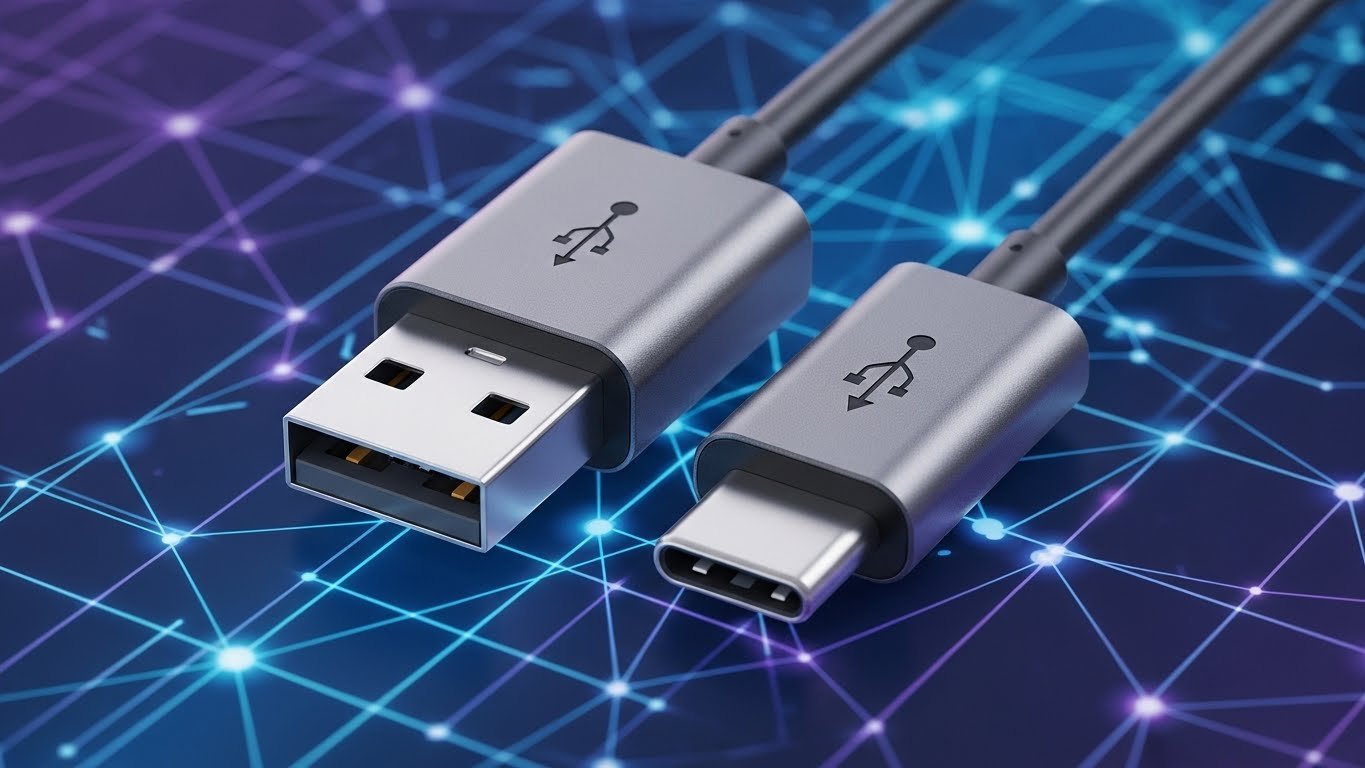
You’re sitting in a coffee shop, deadline looming, and you plug your trusty flash drive into your brand-new MacBook. Nothing happens. You flip it. Still nothing. Then you remember: the world has gone full USB-C, and your drive is stuck in 2015. Sound familiar?
That exact moment has ruined more days than I can count—mine included. The fix? One tiny USB to USB-C adapter. Ten bucks, pocket-sized, and suddenly your old gear works like nothing ever changed. In 2025, with almost every new phone, tablet, and laptop shipping USB-C only, this little gadget isn’t optional anymore. It’s your get-out-of-jail-free card.
Let’s walk through everything you actually need to know—no fluff, no corporate speak, just straight talk from someone who’s tested dozens of these things in real life.
Why the USB to USB-C Adapter Became Non-Negotiable Overnight
A few years ago, you could still buy laptops with classic rectangular USB-A ports. Today? Good luck. Apple, Samsung, Google, Dell, even budget brands—everyone jumped on the USB-C train. The port is smaller, reversible, faster, and can carry video, power, and data at the same time.
Great for the future. Terrible for the mountain of USB-A cables, chargers, drives, mice, and printers sitting in your drawer right now.
That’s where the USB to USB-C adapter saves the day. It lets yesterday’s accessories talk to tomorrow’s devices without forcing you to throw everything away. You keep using what you already own, you save money, and you don’t contribute to more e-waste. Win, win, win.
The Two Types You’ll Actually Use Every Day
There are really only two styles of USB to USB-C adapters that matter in real life.
- USB-A female → USB-C male (the “dongle” style) You plug your old USB-A flash drive, keyboard, or mouse into the female end, then slide the USB-C end into your laptop or phone. This is the one most people picture when they hear “USB to USB-C adapter.”
- USB-A male → USB-C female (the “charger” style). You plug this into an old wall charger or car charger that has a classic USB-A port, then connect your USB-C phone cable to the female end. Perfect for breathing new life into all those 5V chargers you already own.
Everything else—hubs, multi-port docks, video adapters—is extra credit. Start with one of each of the two above, and you’re covered for 95 % of headaches.
What a Good USB to USB-C Adapter Can (and Can’t) Do
Let’s keep expectations realistic.
A solid USB to USB-C adapter will:
- Transfer files at full USB 3.0 or 3.1 speed (5–10 Gbps) if both devices support it
- Let you connect mice, keyboards, printers, and external drives without drivers
- Charge phones and tablets at normal speed from old USB-A chargers (usually 5–15 W)
- Survive being tossed in a bag or stepped on occasionally
What it won’t do:
- Fast-charge a modern phone at 65 W or 100 W (that needs true Power Delivery, which cheap adapters skip)
- Carry 4K 60 Hz video (USB-A simply doesn’t have the bandwidth)
- Magically turn a USB 2.0 drive into a speed demon
Buy the right tool for the job, and you’ll be happy. Expect miracles from a $3 no-name adapter, and you’ll be angry by Friday.
My Personal 2025 Shortlist (Tested, Not Sponsored)
After burning through cheap junk for years, these are the only ones still living in my bag, car, and desk drawer:
- Anker PowerLine USB-C to USB 3.0 Adapter (2-pack) Braided, aluminum ends, 5 Gbps real-world speed, lifetime warranty. I’ve had the same pair since 2022, and they still look brand new.
- Syntech USB-C to USB Adapter (2-pack) Slightly cheaper than Anker, same 5 Gbps performance, softer silicone coating that doesn’t scratch your laptop. My daily driver on a Pixel and a MacBook.
- nonda USB-C to USB-A Adapter (single, premium) Tiny, keychain-friendly, gold-plated contacts. Costs twice as much but feels bulletproof.
- Basesailor USB-A to USB-C Charger Adapter (4-pack). Perfect for turning old wall warts into USB-C chargers. Color-coded so you never grab the wrong one in the dark.
Notice a pattern? Stick to known brands, buy in pairs or packs, and you’ll stop shopping for these ever again.
How to Spot Junk Before It Fries Your Phone
I learned this the hard way in an airport with a $4 “bargain” adapter that got scorching hot and killed my battery health. Here are the red flags:
- No brand name or just random letters (LJMATE, ORICO knockoffs, etc.)
- Claims “100 W Power Delivery” on a $6 adapter (physically impossible)
- Super stiff plastic that cracks the second you look at it
- No speed rating printed anywhere (almost always USB 2.0 stuck at 480 Mbps)
- Reviews mentioning “stopped working after two weeks.”
Spend eight to twelve dollars instead of three, and you’ll thank yourself later.
Pro Tips Most Blogs Never Mention
- Keep one permanently attached to your most-used flash drive. Never search for an adapter again.
- Buy a bright color so it doesn’t disappear in your bag.
- If you use a phone case, test the adapter with the case on—some thick cases block short adapters.
- For photographers: get the female-to-male style and leave it on your card reader. One less thing to forget.
- Traveling internationally? Pack two. Hotel TVs and airplane seats still love USB-A.
The Hidden Cost of Not Owning One
Think you can just “buy new cables” instead? Sure—until you’re at your parents’ house needing an old photo from a 2016 drive, or your kid’s school project is trapped on a USB-A stick the night before it’s due.
I’ve watched grown adults miss flights because the only printer in the business lounge was USB-A and their laptop wasn’t. A ten-dollar USB to USB-C adapter in your bag turns those disasters into minor annoyances.
Where We’re Headed: Will These Even Matter in 2030?
Short answer: yes, for a long time. Even though new devices are all USB-C, the billions of USB-A accessories already out there aren’t going anywhere. Cars, conference rooms, schools, and offices will keep USB-A ports for another decade at least.
Plus, wireless everything still isn’t perfect—wireless chargers lose efficiency, wireless drives are slow and power-hungry, and nothing beats plugging in a keyboard when your battery is at 3 %.
So the humble USB to USB-C adapter isn’t some temporary band-aid. It’s a long-term membership card to the “make it work” club.
Your Next Move
Stop gambling with random Amazon listings. Pick one of the adapters I mentioned (or any reputable brand with 10,000+ reviews), toss it in your bag, and forget about it until the day it quietly saves your bacon.
Because that day is coming. And when it does, you’ll smile, plug in, and wonder why you waited so long.
Have an old device you’re scared won’t work with your new laptop? Drop it in the comments—I’ll tell you exactly which USB to USB-C adapter you need.
